
Phone Macro
The Beautiful Assets Phone Number macro displays a phone number as a clickable link. Clicking the number opens the device’s phone or calling app.
Configuration
- Insert a Beautiful Assets Phone Number macro
- Select a Filter from the dropdown
- Select the attribute that contains the phone number
- Click Save
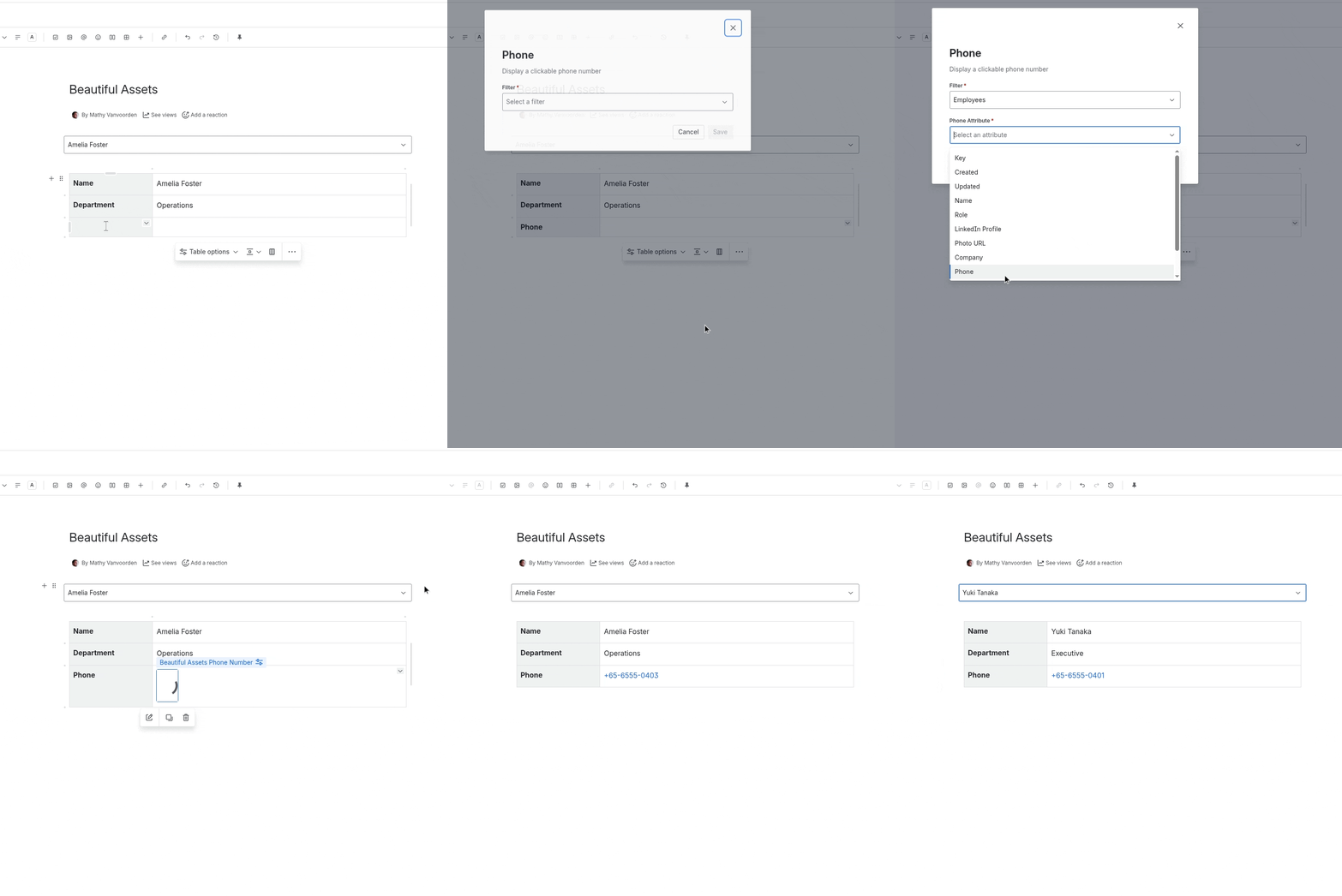
How It Renders
The phone number is displayed as a clickable tel: link. On mobile devices, tapping it initiates a phone call. On desktop, it opens the default calling application.
Notes
- The attribute value should contain a phone number. The macro does not validate the format
- If the attribute has no value, the macro displays nothing
- For best results, store phone numbers in a consistent format (e.g., “+1-555-123-4567”)