
Image Macro
The Beautiful Assets Image macro displays an image from a URL stored in a Jira Assets attribute. This is useful for profile photos, product images, logos, and other visual content.
Configuration
- Insert a Beautiful Assets Image macro
- Select a Filter from the dropdown
- Select the attribute that contains the image URL
- Click Save
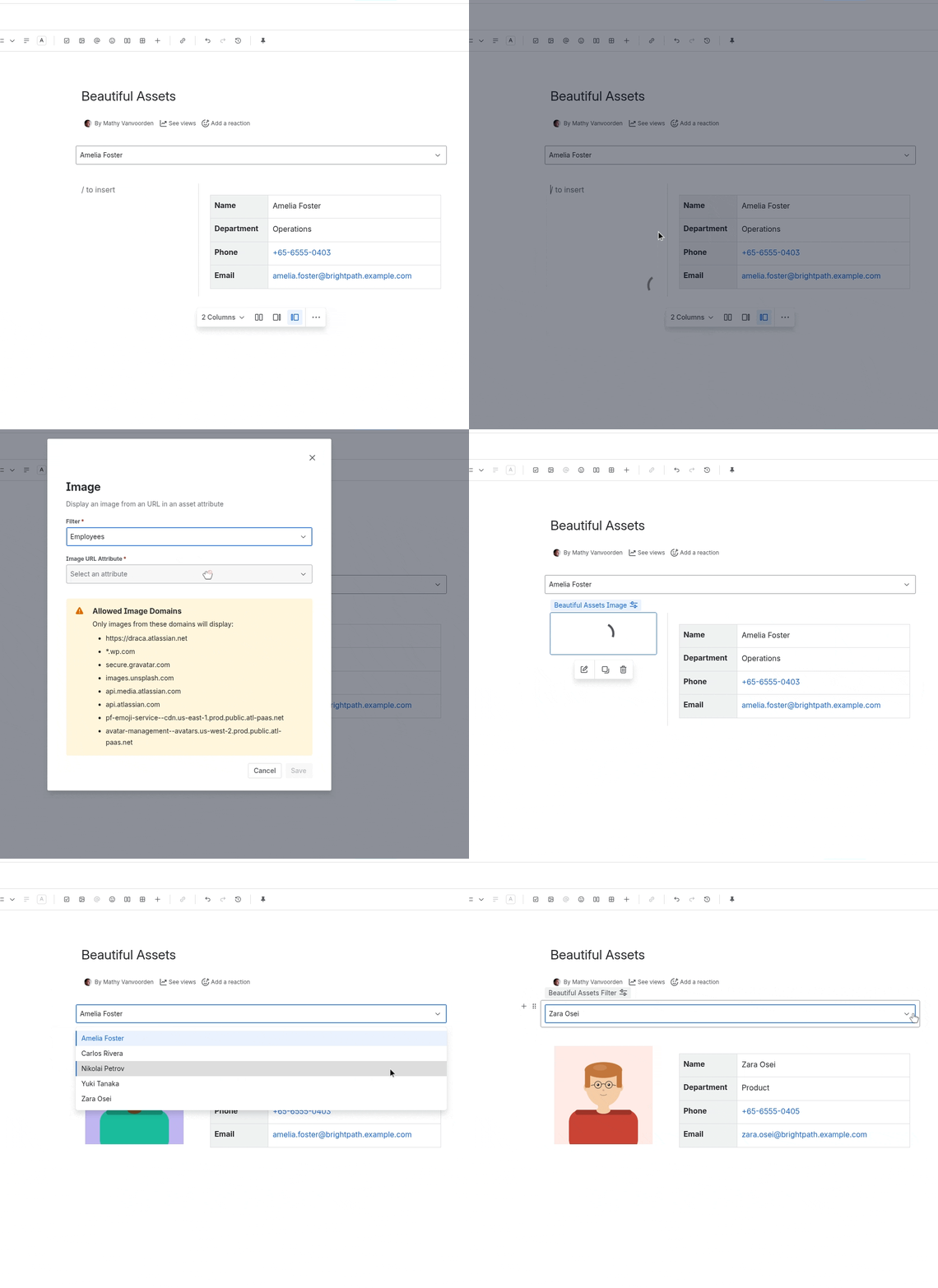
Allowed Domains
For security, images are only loaded from a specific set of allowed domains. If the URL points to a domain not on this list, the image will not display.
Allowed domains:
- Your Confluence instance domain
*.wp.comsecure.gravatar.comimages.unsplash.comapi.media.atlassian.comapi.atlassian.compf-emoji-service--cdn.us-east-1.prod.public.atl-paas.netavatar-management--avatars.us-west-2.prod.public.atl-paas.net
These domains cover Atlassian-hosted images, Gravatar avatars, and Unsplash photos. Images hosted on other domains will not render.
Notes
- If the attribute has no value, the macro displays nothing
- The image is rendered at its natural size within the macro’s container
- For profile photos, Gravatar URLs or Atlassian avatar URLs work well
- If your images aren’t showing, check that the URLs use one of the allowed domains listed above