
Email Macro
The Beautiful Assets Email macro displays an email address as a clickable link. Clicking it opens the user’s email client with a new message.
Configuration
- Insert a Beautiful Assets Email macro
- Select a Filter from the dropdown
- Select the attribute that contains the email address
- Click Save
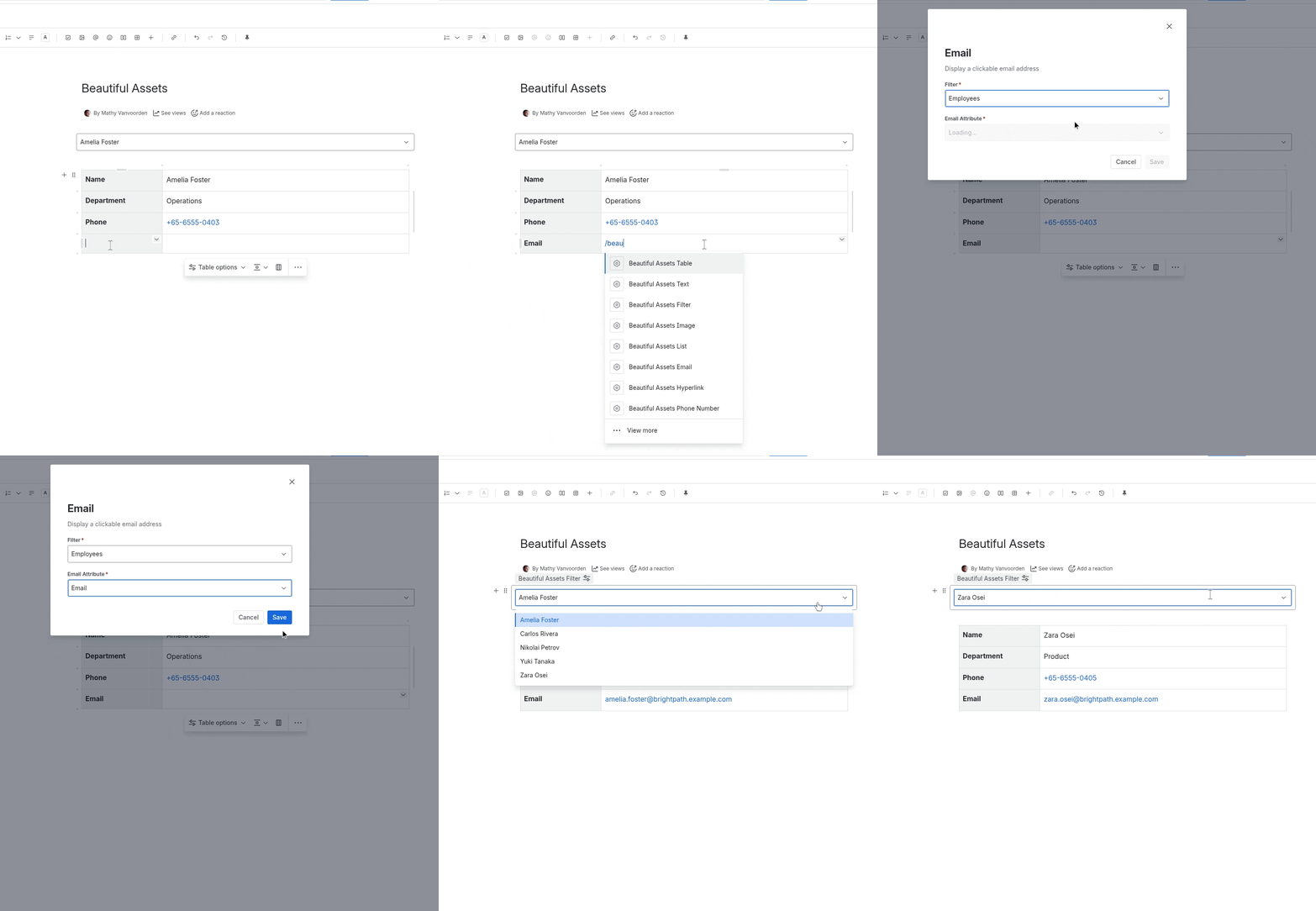
How It Renders
The email address is displayed as a clickable mailto: link. Clicking it opens the default email client with the address pre-filled in the “To” field.
Notes
- The attribute value should contain an email address. The macro does not validate the format
- If the attribute has no value, the macro displays nothing