
Advanced Mode
Advanced mode lets you write raw AQL (Assets Query Language) queries directly. This gives you full control over the query and enables features not available in basic mode, such as referencing other filters.
Switching to Advanced Mode
- Open the filter configuration
- Click the Advanced tab
- If you have existing basic rules, a confirmation dialog appears because switching to advanced mode converts your rules to AQL
Important: Switching from basic to advanced mode is a one-way operation. You cannot convert an advanced query back to basic rules. To start over, use the “Reset configuration” option in the Basic tab.
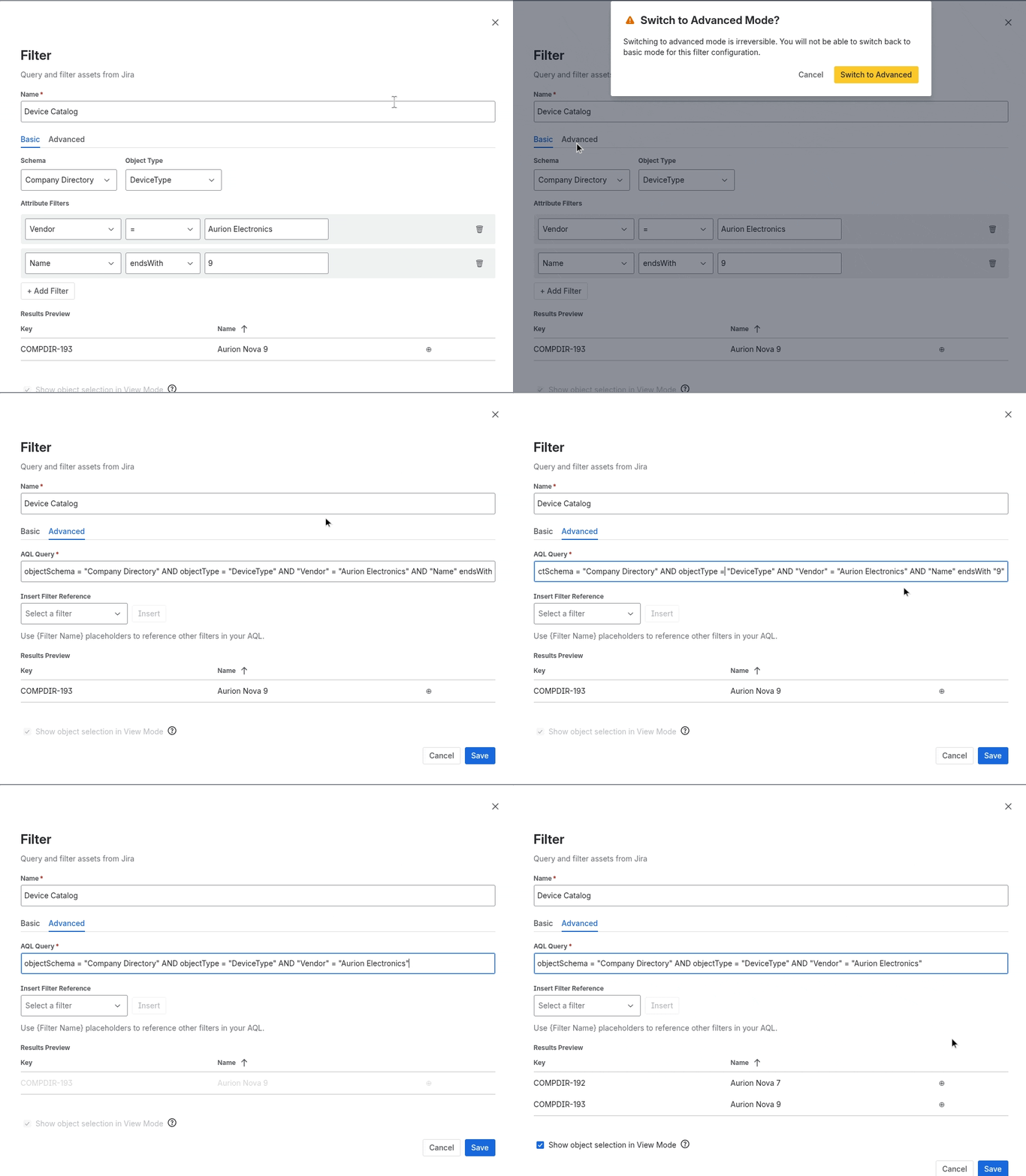
Writing AQL Queries
Type your AQL query directly in the text field. The query uses Jira Assets Query Language syntax.
Examples
objectType = "Computer" AND Status = "Active"
objectType = "Employee" AND Department = "Engineering"
objectType = "Server" AND "Purchase Date" >= "2024-01-01"
For the full AQL syntax reference, see Atlassian’s AQL documentation .
Referencing Other Filters
Advanced mode supports referencing other filters on the same page using the {Filter Name} syntax. This is how you create dependent or cascading filters.
Syntax
Wrap the name of another filter in curly braces:
objectType = "Server" AND Department IN {Department Filter}
This means: “show servers where the Department matches the objects returned by the filter named ‘Department Filter’.”
Inserting a Filter Reference
- In the advanced editor, use the filter insert dropdown to select from available filters on the page
- Click Insert to append the
{Filter Name}placeholder to your query - The placeholder resolves to the referenced filter’s AQL at runtime
How Dependencies Resolve
When a filter references another filter:
- The referenced filter runs first
- Its
{Filter Name}placeholder is replaced with the referenced filter’s AQL - The dependent filter runs with the expanded query
- If the referenced filter changes (e.g., the user selects a different object), the dependent filter re-runs automatically
Unresolved References
If a {Filter Name} placeholder references a filter that doesn’t exist on the page, the editor highlights it as an error. You cannot save until all references are resolved.
Preview
The Results Preview works the same as in basic mode. It shows matching objects after placeholder expansion so you can verify the complete query.