
App Settings
The Settings tab controls performance-related limits for the app.
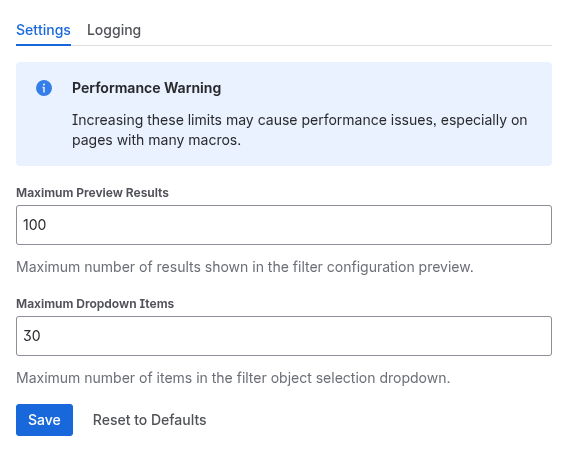
Maximum Preview Results
Controls how many objects appear in the filter configuration preview table.
| Property | Value |
|---|---|
| Default | 100 |
| Minimum | 1 |
| Maximum | 1000 |
A higher value lets page editors see more results when configuring filters, but may slow down the configuration panel on large datasets.
Maximum Dropdown Items
Controls how many objects appear in the object selection dropdown on published pages.
| Property | Value |
|---|---|
| Default | 30 |
| Minimum | 1 |
| Maximum | 500 |
If a filter returns more objects than this limit, only the first items are shown in the dropdown. Users configuring filters will see a warning when their results exceed this limit and object selection is enabled.
Saving and Resetting
- Click Save to apply your changes
- Click Reset to Defaults to restore the default values (100 preview results, 30 dropdown items)
A performance warning is displayed on the settings page: increasing these limits may cause slower loading, especially on pages with many macros.