
I’ve been building Forge apps for a while now, and Codegeist isn’t new to me either. This wasn’t my first time entering Atlassian’s annual hackathon. But it was the first time my entry turned into something I actually shipped.
The result: Beautiful Assets for Confluence, an app that lets you pull live data from Jira Assets and display it directly on Confluence pages. Employee directories, IT device catalogs, hardware inventories… that sort of thing.
Did I win? No. But I ended up with a working product that solves a real problem so I decided to push ahead and release it as a full product.
The Problem
If you’ve ever used Jira Assets (formerly Insight), you know it’s powerful. You can model just about anything: employees, devices, licenses, office equipment. The data is there. Confluence can display it too, with the built-in Assets macros. But if you’ve ever tried to build a nice-looking employee directory or a clean device catalog with those? You know it gets ugly fast.
The native Assets macro gives you a table. Just a table. With a “Powered by Assets” footer. It works for a quick lookup, but try building a polished employee directory or a presentable device catalog with it.
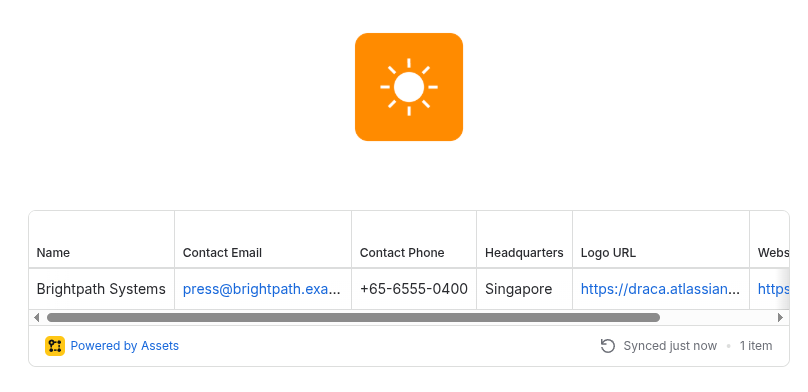
Beautiful Assets fixes that.

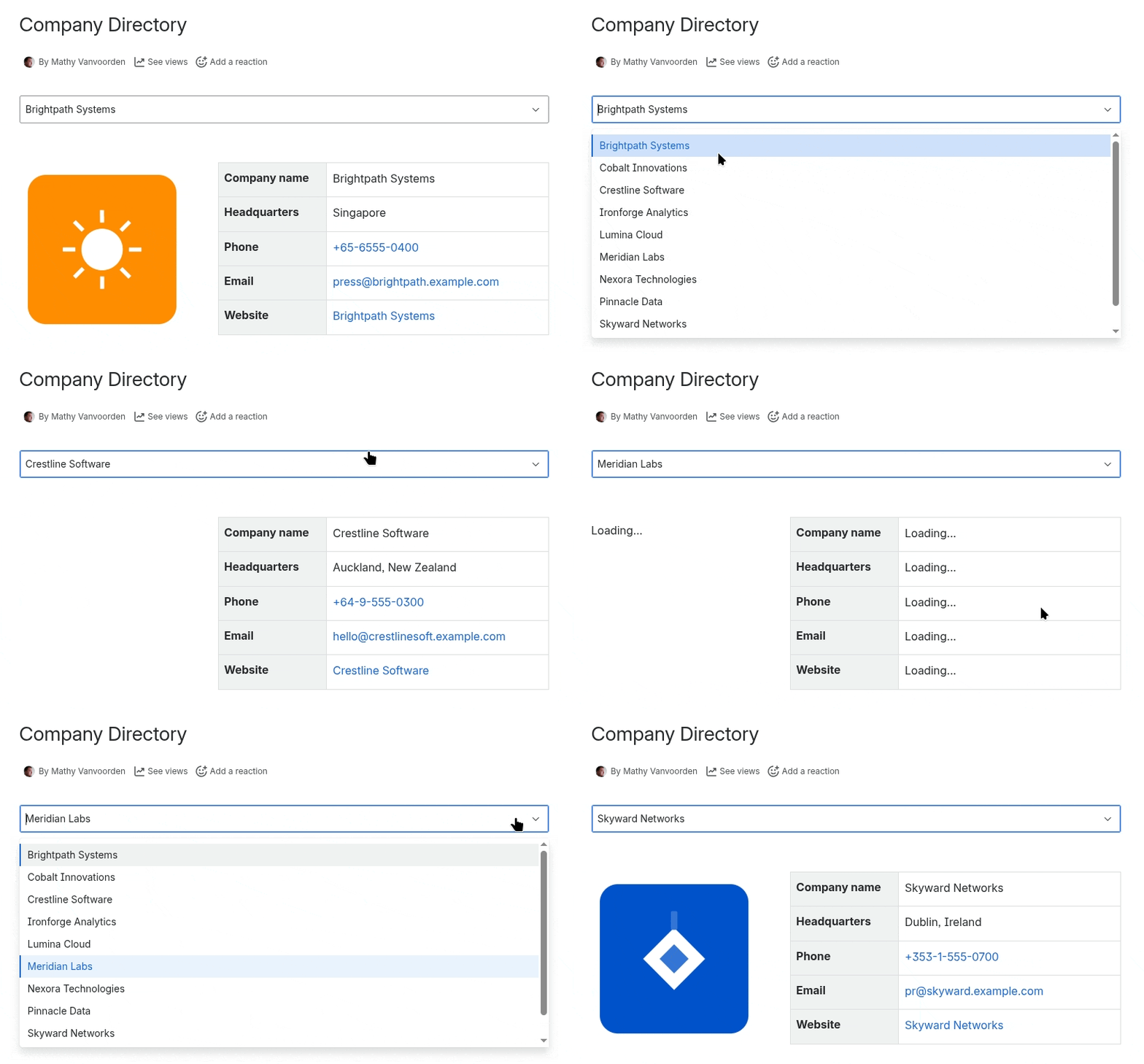
But why stop there? With Beautiful Assets you can make your pages dynamic. Flip a setting on your filter to show a dropdown and viewers can browse through your data right on the Confluence page. Here’s a company directory where you can switch between companies:
How It Works
The concept is simple. Two building blocks: filters and macros.
A filter queries Jira Assets. You pick a schema and object type, optionally add some rules to narrow things down, and it fetches the matching objects. No AQL knowledge is required for basic use, though power users can drop into advanced mode and write raw queries.
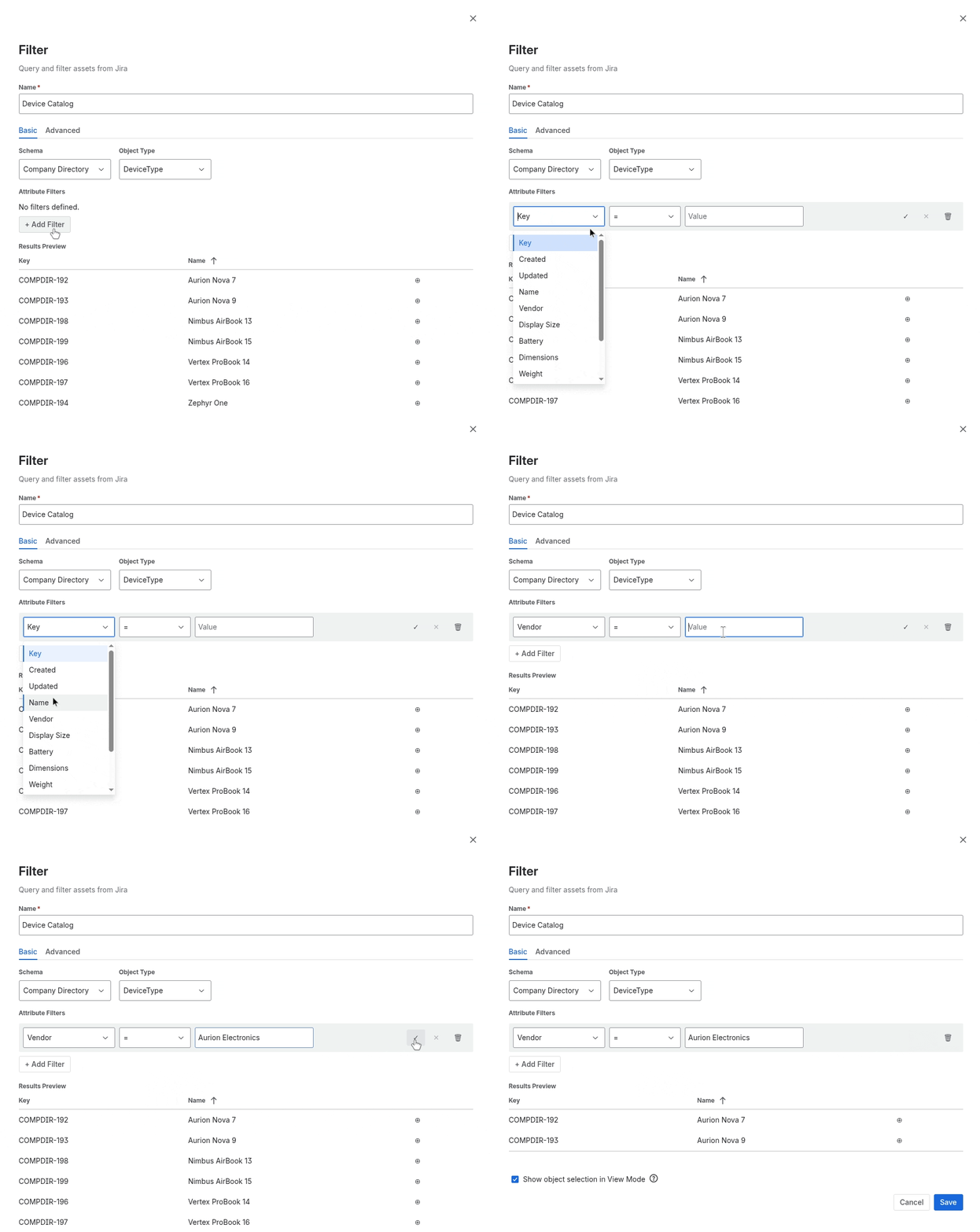
Macros then display the data. There are seven macro types: text, phone numbers, email addresses, hyperlinks, images, tables, and key-value lists. Each one connects to a filter and renders a specific attribute.
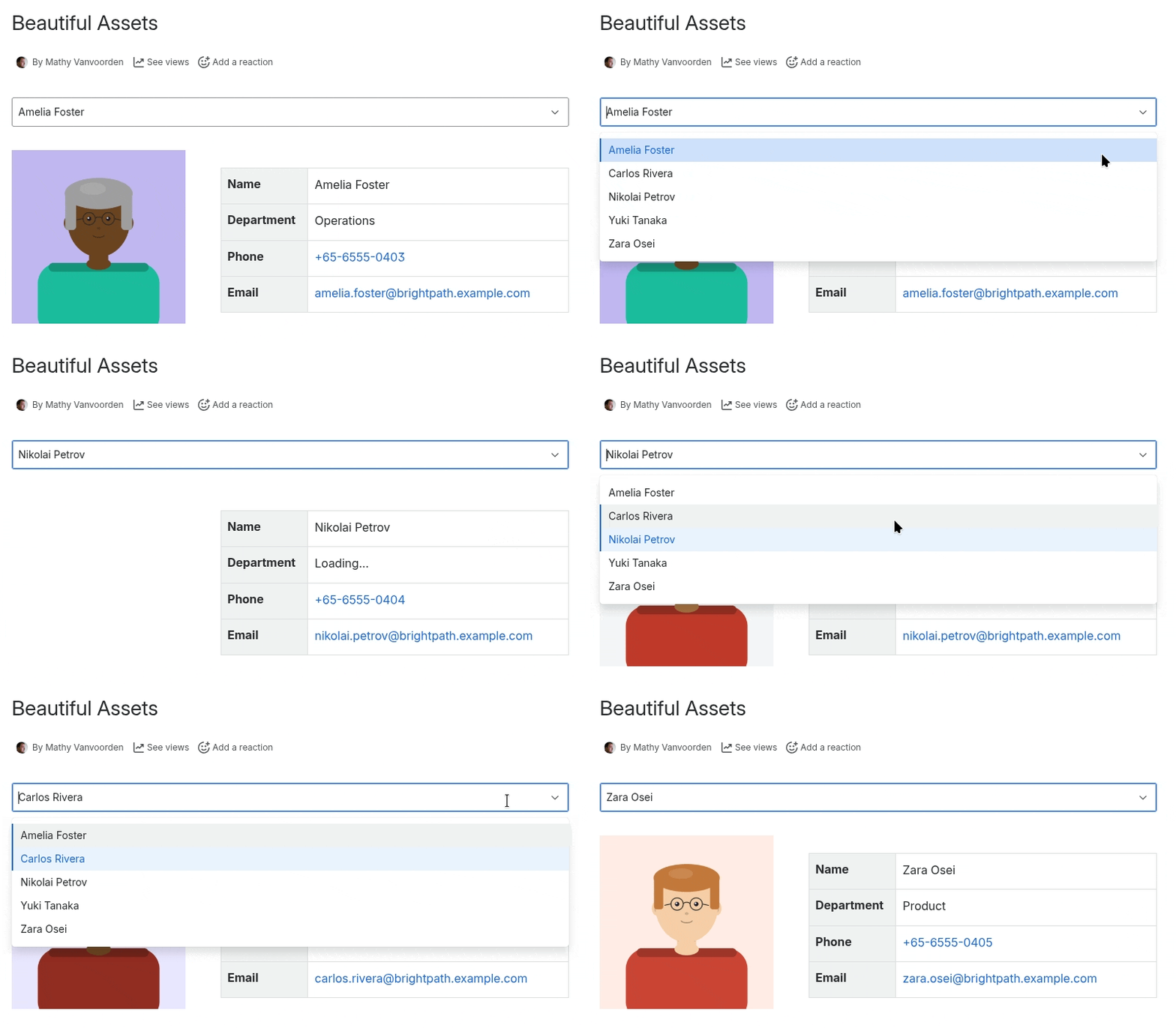
The real power comes from combining them. Drop a filter on a page, add an object selection dropdown, wire up a few macros, and you’ve got yourself an interactive data page. Change the selection and everything updates.
Here’s what an employee directory looks like:
And an IT device catalog with specs, photos, and an assigned devices table:
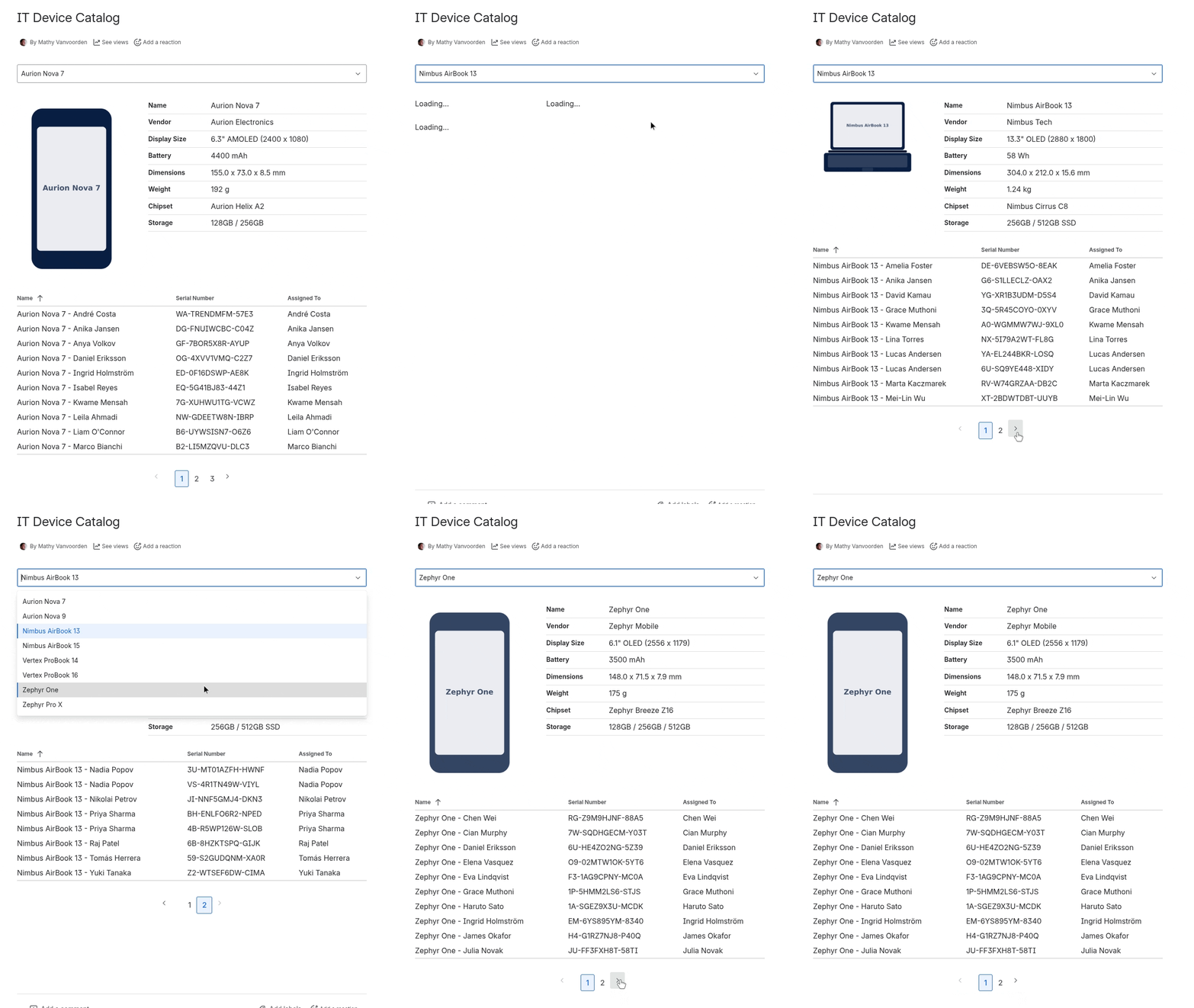
All data is fetched live from Jira Assets on every page load. No stale exports, no manual syncing.
How It Was Built
Beautiful Assets is my first project that was fully coded with AI. I used Claude Code throughout the entire development process, from the initial Forge scaffolding to the final UI polish.
A hackathon with low stakes felt like the right moment to give AI-assisted coding a real shot. People who know me know I’ve been skeptical about this in the past. Early results never impressed me enough to change my workflow.
This time was different, and I’ve started incorporating AI in other projects. I have both positive and negative thoughts on this, and I’ll probably write a follow-up post covering these thoughts in the near future.
Now What?
Beautiful Assets is available on the Atlassian Marketplace . If you’re using Jira Assets and Confluence, give it a try. There’s documentation at draca.be/docs/beautiful-assets if you want to see what it can do before installing.
Codegeist didn’t hand me a prize, but it gave me something better: the push to actually build and ship something. Sometimes the best outcome of a competition isn’t winning. It’s finishing.